
In today’s rapidly evolving digital landscape, understanding new technologies is crucial. Edge computing is emerging as a significant player, fundamentally changing how we process and analyze data. But what exactly is edge computing, and how does it function to bring data processing closer to its source?
This article will demystify edge computing, providing clear, actionable insights for readers seeking to grasp its core concepts and practical applications. We’ll explore the mechanics behind this innovative approach, explaining how it enhances efficiency, reduces latency, and empowers businesses with real-time data insights. Join us as we break down the essentials of edge computing and its growing importance in our connected world.
Introduction
Edge computing is one of those technology terms that gets used constantly but rarely explained in plain language. At its core, edge computing is the practice of processing data near the place where it is created—the “edge” of the network—rather than sending everything to a distant, centralized data center or cloud. If you have ever wondered why a self-driving car cannot wait for a round trip to a server hundreds of miles away, or why a smart factory can detect a faulty machine part in milliseconds, edge computing is the answer.
This article explores What Is Edge Computing and How Does It Work with clear, practical guidance. You will learn the fundamental architecture, the key terms you need to know, real-world examples, and a step-by-step approach to evaluating or adopting edge computing in your own context. Understanding the fundamentals of What Is Edge Computing and How Does It Work helps you make informed decisions—whether you are a student, a business professional, a developer, or simply a curious reader trying to keep pace with modern infrastructure.
The stakes are higher than they might first appear. As connected devices multiply—from industrial sensors to medical monitors to smart home gadgets—the volume of data generated at the edge is exploding. Sending all of that data to the cloud is expensive, slow, and sometimes impossible. Edge computing offers a way to keep latency low, bandwidth costs down, and privacy high. Reliable information and consistent habits lead to better long-term outcomes, and that principle applies here: the more clearly you understand the model, the better your technical and business choices will be.
Key Concepts
To grasp edge computing, you need a small vocabulary of interrelated ideas. None of them are complicated on their own, but together they explain why the architecture exists.
Latency
Latency is the time it takes for data to travel from its source to a processing point and back. In cloud computing, that round trip can range from tens to hundreds of milliseconds depending on distance and network conditions. For many applications—video calls, online gaming, autonomous braking—that delay is unacceptable. Edge computing reduces latency by shortening the physical distance the data must travel.
Bandwidth
Bandwidth is the capacity of a network connection. A single factory sensor might generate only a few kilobytes per second, but thousands of sensors can saturate a connection. By processing data locally and sending only summaries or alerts to the cloud, edge computing dramatically reduces bandwidth consumption.
The Edge vs. the Cloud
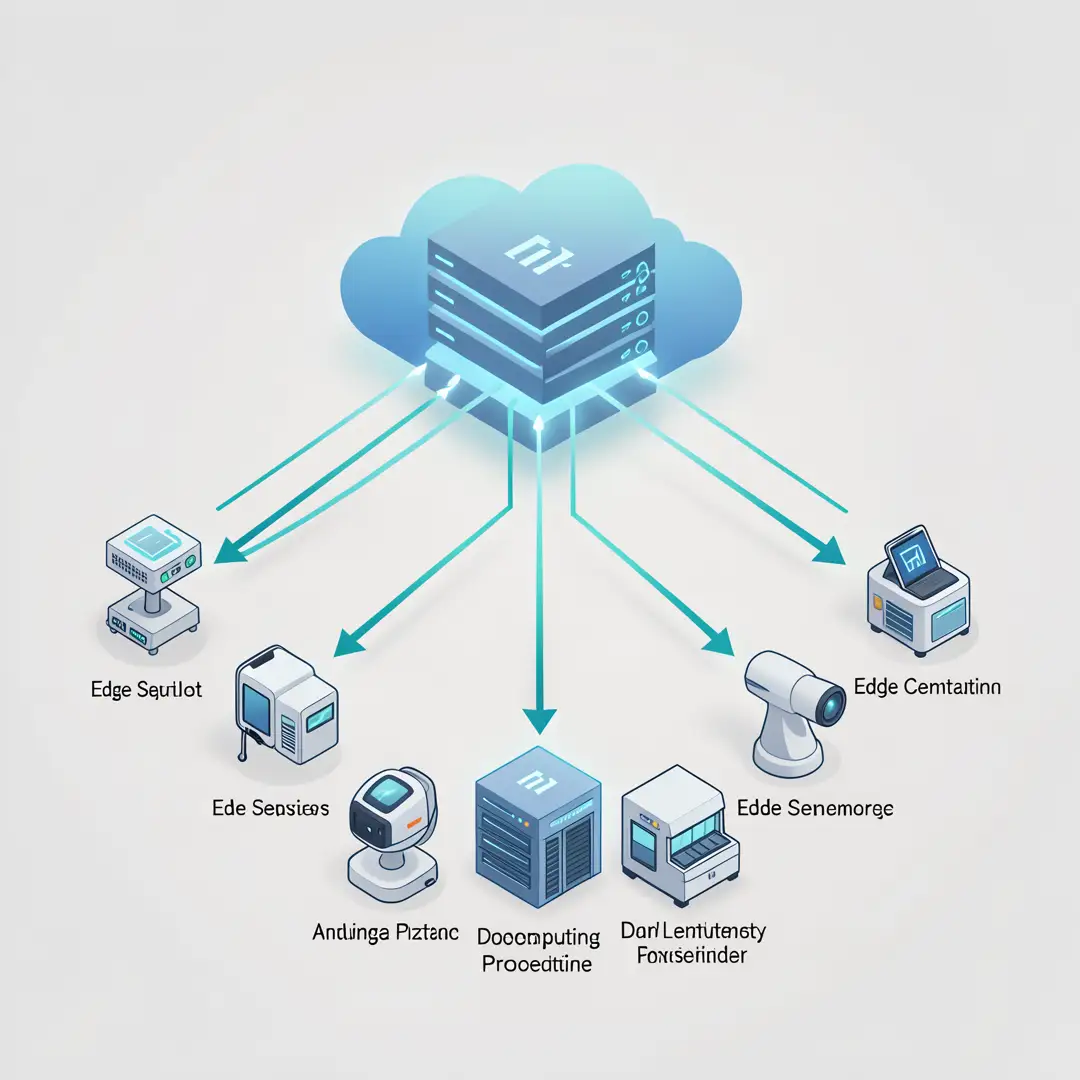
The cloud is a centralized model: data flows from devices to a few large data centers, gets processed, and results flow back. The edge is a distributed model: processing happens on or near the devices themselves, in small data centers, gateways, or even on the device’s own chip. The two are not mutually exclusive. Most modern systems use a hybrid approach, where time-sensitive tasks run at the edge and long-term analytics, backups, and model training run in the cloud.
Edge Devices and Edge Nodes
An edge device is any piece of hardware that generates or consumes data at the edge—a smartphone, a security camera, a programmable logic controller in a factory. An edge node is a compute resource placed close to those devices, such as a small server in a retail store, a gateway in a wind turbine, or a micro data center at the base of a cell tower.
Fog Computing
You may hear “fog computing” used alongside edge computing. Fog computing is essentially a broader layer that sits between the edge and the cloud, managing multiple edge nodes. Think of the edge as the leaves of a tree and fog as the branches that connect them to the trunk (the cloud).
Deep Dive
Now that the vocabulary is clear, let’s look at how edge computing actually works in practice. The core idea is simple: move computation closer to the data source. But the implementation involves several layers and trade-offs.
How Data Flows in an Edge System
Imagine a smart traffic intersection. Cameras and radar sensors detect vehicles. Instead of streaming raw video to the cloud, a small edge computer at the intersection runs a machine learning model that counts cars, identifies accidents, and adjusts traffic light timing in real time. Only aggregated statistics and incident alerts are sent to the cloud for long-term storage and city-wide analysis.
This flow has four stages:
- Collection: Sensors and devices capture raw data (video, temperature, vibration, location).
- Local processing: An edge node filters, analyzes, and acts on the data within milliseconds.
- Selective transmission: Only relevant, summarized, or anomalous data is forwarded to the cloud.
- Cloud aggregation: The cloud combines data from many edge sites for reporting, model retraining, and strategic decisions.
Why Location Matters So Much
The speed of light is a hard limit. A data packet traveling from New York to a data center in California and back covers roughly 5,000 miles, which takes about 40 milliseconds in a fiber optic cable—before you add routing, queuing, and processing time. For a factory robot that needs to stop a press in 5 milliseconds to prevent injury, that is far too slow. Placing a small edge server on the factory floor reduces the round trip to under a millisecond.
Types of Edge Deployments
Edge computing is not one thing. It appears in several forms:
- Device edge: Computation happens directly on the device, such as a smart camera with an AI chip.
- On-premises edge: A local server room or gateway processes data for a building, store, or factory.
- Network edge: Telecom providers place compute resources at cell towers or local exchanges, often called multi-access edge computing (MEC).
- Regional edge: Small data centers in a metro area serve many nearby customers, balancing latency and scale.
Hardware and Software Considerations
Edge nodes are often ruggedized, fanless, and power-efficient because they may sit in hot factories, remote oil fields, or moving vehicles. Software must be lightweight, containerized, and capable of running without constant human oversight. Security is also different: edge nodes are physically dispersed, so they need strong encryption, secure boot, and remote management tools.
Best Practices
Adopting edge computing without a plan can lead to fragmented systems, security gaps, and wasted spending. These best practices help you avoid common pitfalls.
Start with a Clear Use Case
Do not deploy edge computing because it is trendy. Identify a specific problem where latency, bandwidth, or privacy is a genuine constraint. If your application can tolerate 200 milliseconds of delay and your bandwidth costs are manageable, the cloud may be the better choice.
Design for Hybrid, Not Either-Or
Most successful implementations split workloads. Run real-time control and filtering at the edge; run heavy analytics, long-term storage, and model training in the cloud. This gives you the best of both worlds.
Prioritize Security from Day One
Edge devices are physically accessible to more people than a guarded data center. Use hardware root of trust, encrypted communication, automatic patching, and strict identity management. Assume any edge node could be tampered with and design accordingly.
Standardize and Automate Management
If you have ten edge sites, you can manage them manually. If you have a thousand, you cannot. Use orchestration platforms that let you deploy, update, and monitor edge nodes remotely and consistently.
Measure What Matters
Track latency, throughput, error rates, and cost per processed event. Without measurement, you cannot tell whether edge computing is actually helping or just adding complexity.
Step-by-Step Guide to Understanding and Applying Edge Computing
The following steps apply whether you are evaluating edge computing for a business, a school project, or personal curiosity.

Step 1: Understand the fundamentals
Before making any decisions, solidify your grasp of latency, bandwidth, edge nodes, and the difference between edge and cloud. Read case studies from industries similar to yours—manufacturing, healthcare, retail, or telecommunications. The goal is to be able to explain in one sentence why a specific application needs edge computing rather than centralized processing.

Step 2: Assess your starting point
Audit your current data flow. Where is data generated? How much of it is sent to the cloud? What are your current latency and bandwidth costs? Identify any pain points: slow response times, expensive data transfer, or regulatory requirements that prevent sending data off-site. This baseline tells you whether edge computing is a solution or a distraction.

Step 3: Set clear goals
Define what success looks like in measurable terms. For example: “Reduce decision latency from 150 milliseconds to under 10 milliseconds,” or “Cut cloud bandwidth costs by 40 percent,” or “Keep sensitive patient data on-premises while still enabling remote monitoring.” Vague goals like “be more modern” lead to vague results.

Step 4: Gather necessary resources
Edge computing requires hardware (edge servers, gateways, sensors), software (container platforms, orchestration tools, security agents), and people (network engineers, developers, security specialists). You may not need all of these in-house. Cloud providers and telecom companies now offer managed edge services that reduce the resource burden.
Step 5: Apply the core methods
Start small. Choose one site or one application. Deploy an edge node, connect it to your existing systems, and run a pilot. Use containerization so you can move workloads easily. Implement monitoring and logging from the beginning. Compare results against your baseline from Step 2.
Step 6: Monitor your progress
Review your metrics regularly. Are you hitting your latency and cost goals? Are there new bottlenecks? Use what you learn to expand to additional sites or applications. Edge computing is an iterative process, not a one-time installation.
FAQ
What should I know about What Is Edge Computing and How Does It Work?
The most important thing to know is that edge computing is not a replacement for the cloud—it is a complement. It moves processing closer to where data is created to reduce latency, save bandwidth, and improve privacy. It works by placing small compute nodes near devices, filtering and acting on data locally, and sending only what is necessary to centralized systems. Understanding this balance helps you avoid the mistake of thinking.
You now have a solid foundation for What Is Edge Computing and How Does It Work. Apply the best practices above and revisit this guide as your needs evolve.